Qiblatnaالعربية

Pray on time. Face the right way.

Prayer times, the qibla, the whole Qur’an, adhkar and the Hijri calendar — in one calm place. No account to make, nothing to pay, and it works with the signal off.

Download on the App StoreComing soonGet it on Google PlayComing soon

Coming to the App Store and Google Play.

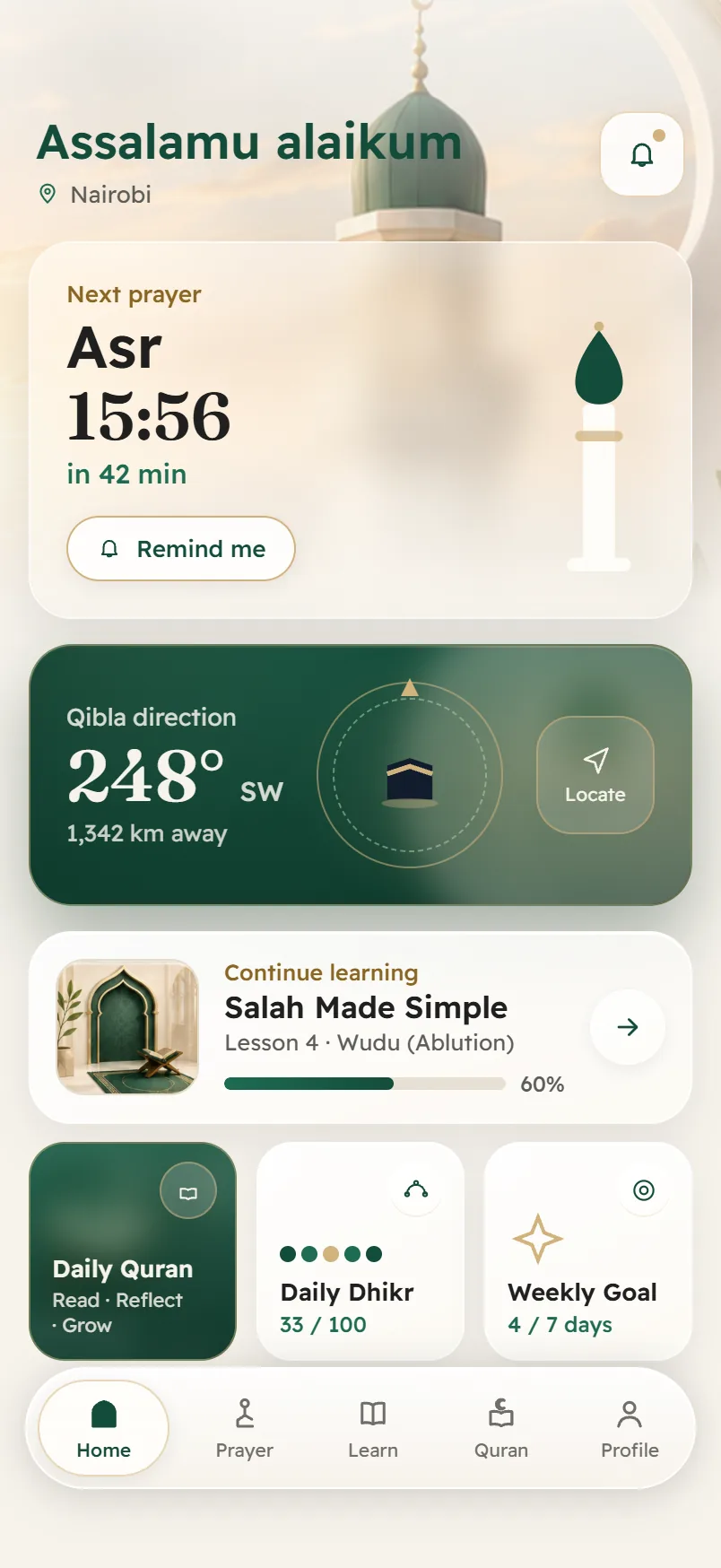
The Qiblatna home screen: the next prayer with its time, the qibla direction, and today’s reading.

Features

What is inside

The tools you already reach for every day, built to be quiet and to be right.

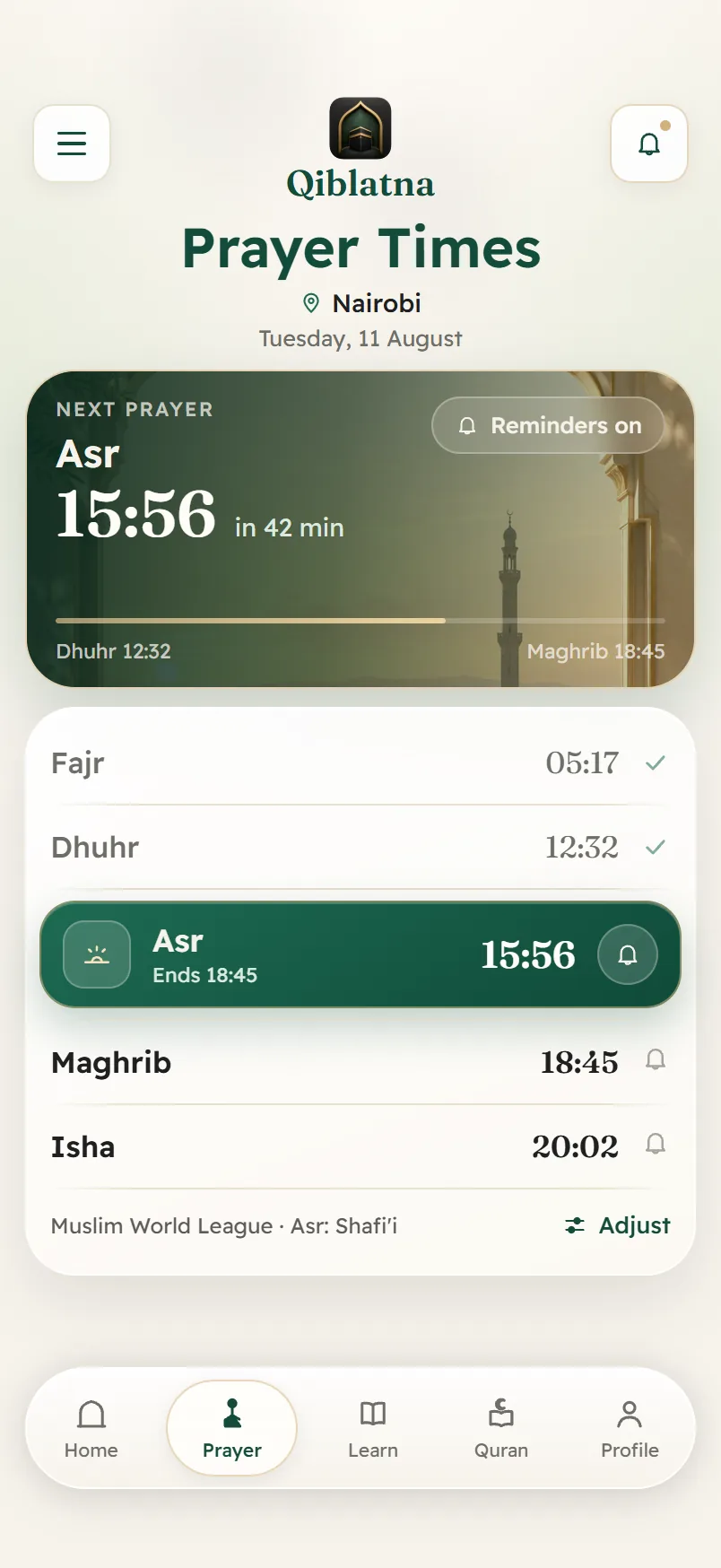
Prayer times

Times you can check against your own mosque

Times are calculated on your device from your coordinates using the open-source adhan library — not fetched from a server that could be wrong, or down.

  • Eleven calculation methods, from Umm al-Qura to ISNA, Diyanet and the Moonsighting Committee
  • Asr by the Shafi’i or Hanafi position, and a high-latitude rule for northern summers
  • Per-prayer adjustment in minutes, for when your mosque runs a little different
  • The method named on screen is derived from the one actually in use, so the label can never disagree with the numbers
Times you can check against your own mosque — Qiblatna

Qibla

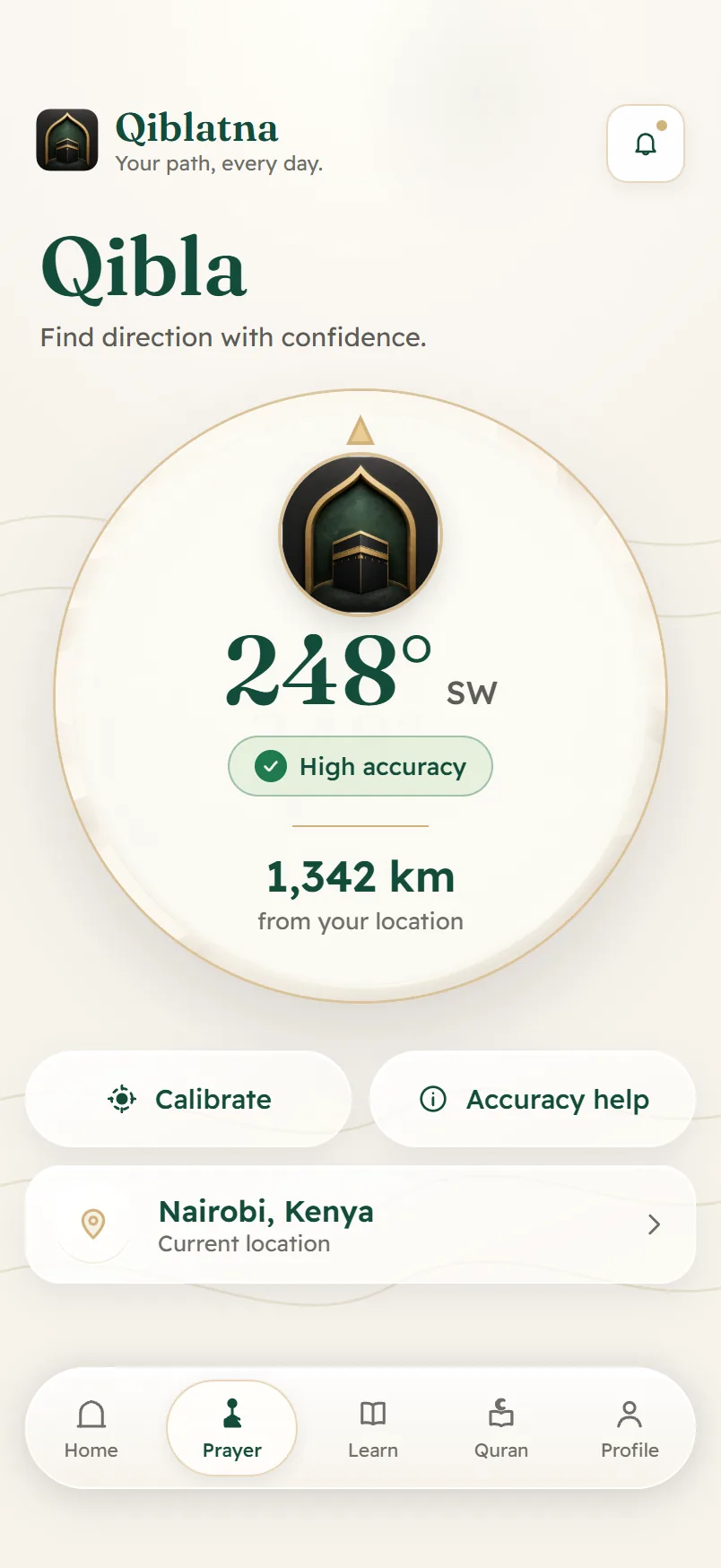
The direction, and how much to trust it

A great-circle bearing from where you are to the Kaaba, drawn on a compass dial and written out in degrees so you can check it against any other instrument.

  • The bearing in degrees with its compass point, not just an arrow
  • An honest accuracy reading that tells you when the sensor is confused
  • Calibration guidance at the moment the phone needs it
  • A north-up mode, and the distance to Makkah from where you stand
The direction, and how much to trust it — Qiblatna

Reminders

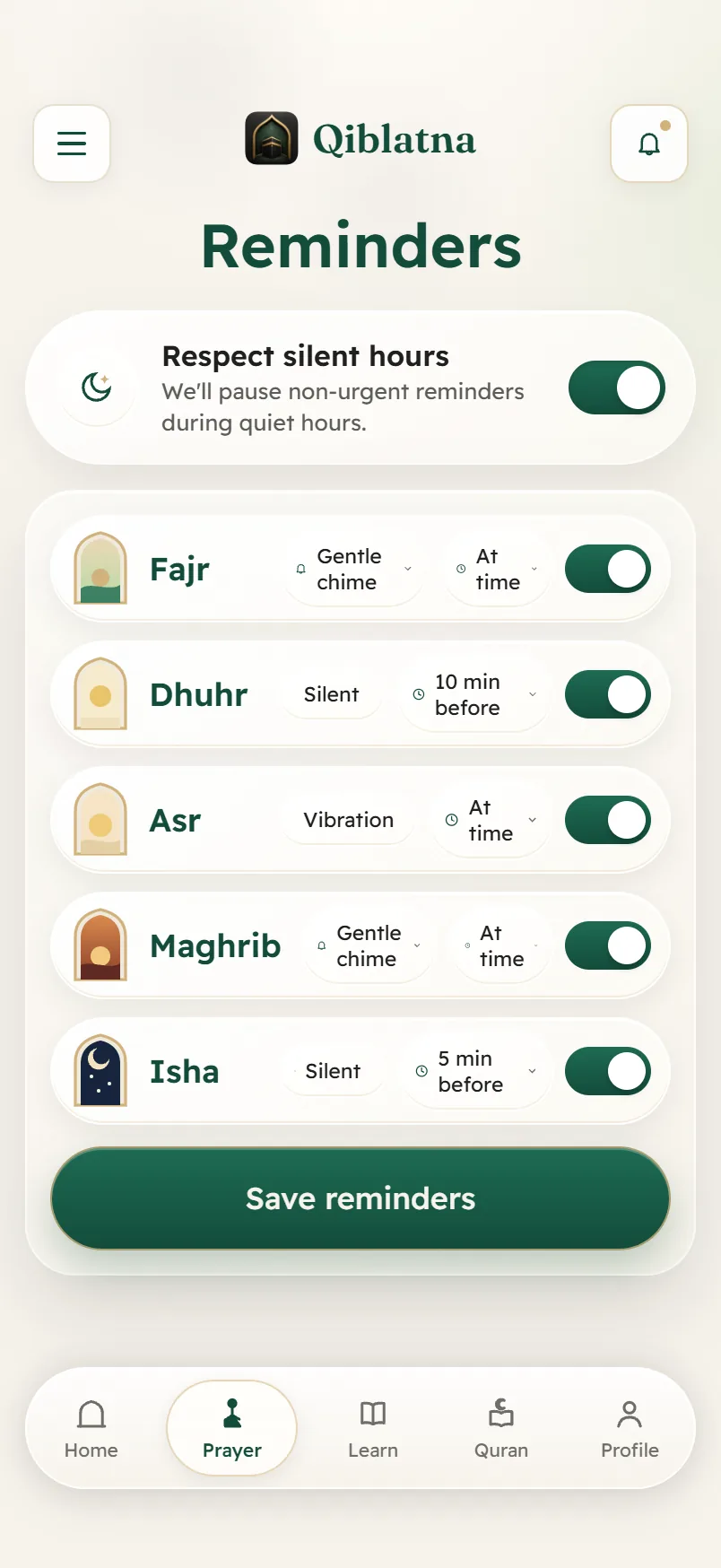
Reminders that respect the room you are in

Set each prayer on its own terms — at the time or a few minutes before, with a gentle chime, a vibration, or nothing at all.

  • A separate choice for each of the five prayers
  • A quiet-hours window that holds non-urgent reminders back
  • Scheduled by your own phone, so they arrive with no connection and no push server
Reminders that respect the room you are in — Qiblatna

Qur’an

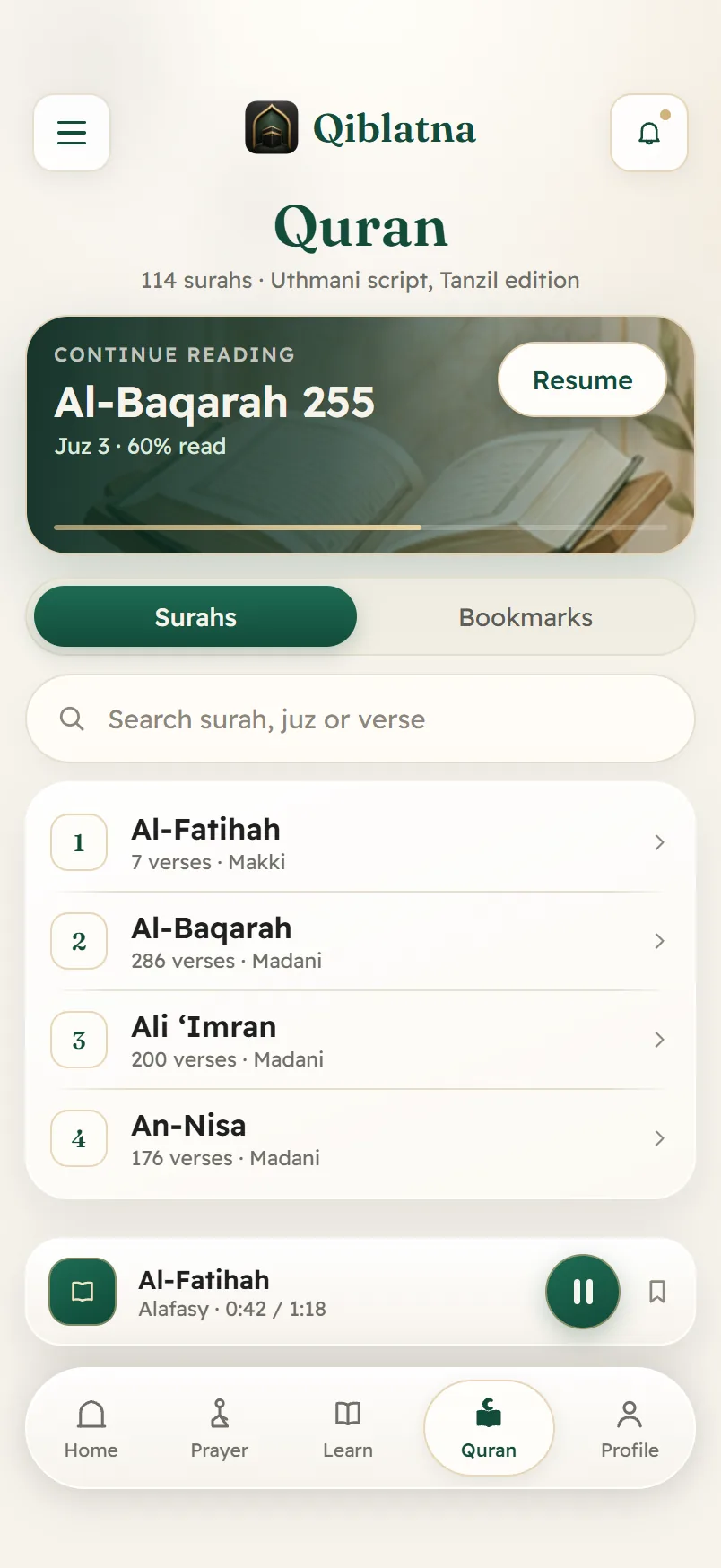
All 114 surahs, on the device, in the Uthmani script

The text is the Tanzil Uthmani edition, bundled with the app. It is not typed by hand, not generated, and does not need a connection to open.

  • The complete text offline, with bookmarks and your reading position kept
  • Eleven reciters, among them Alafasy, Al-Sudais, Al-Husary and Abdul Basit
  • Download a surah once and its recitation plays with the signal off
  • Search by surah, juz or verse
All 114 surahs, on the device, in the Uthmani script — Qiblatna

Adhkar and tasbih

Morning and evening adhkar, and a counter that keeps up

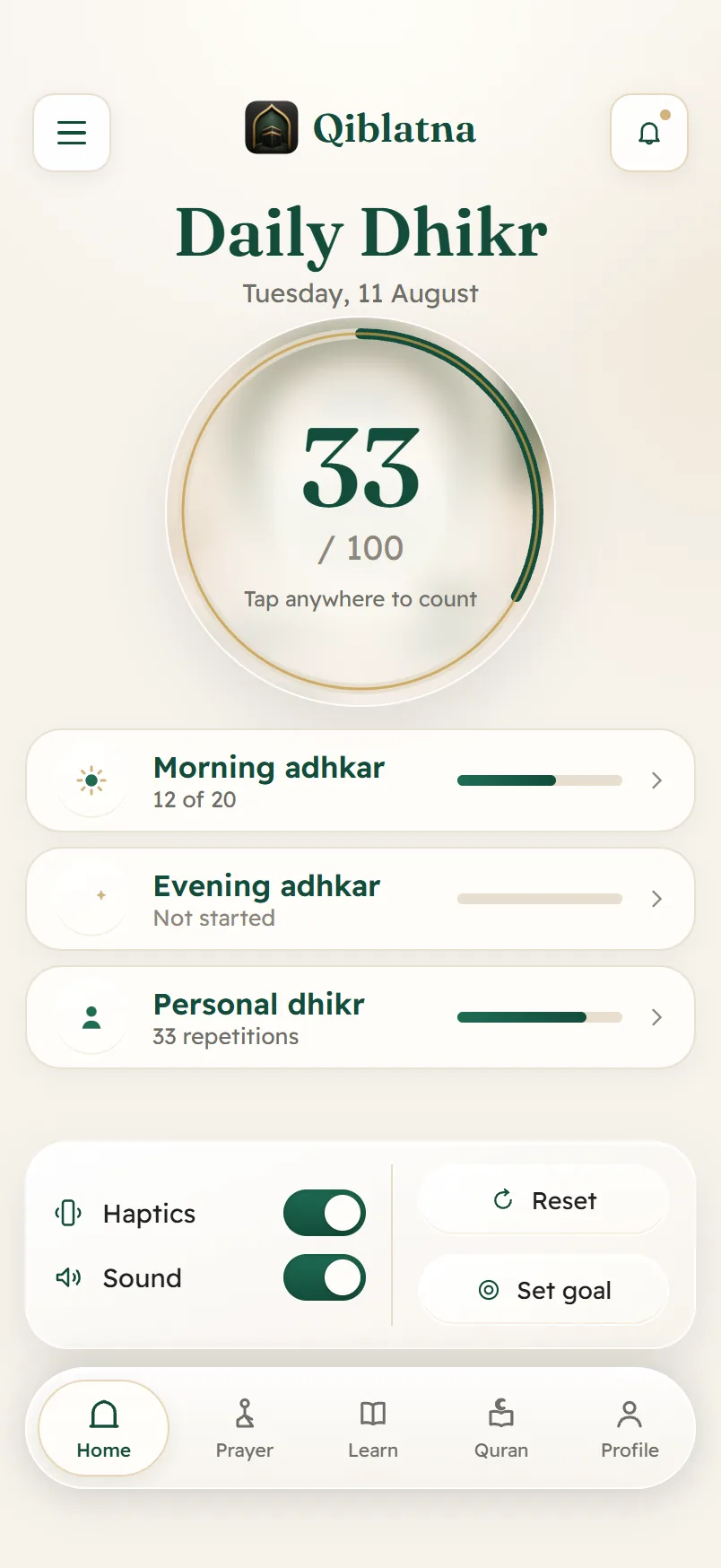
A du’a and adhkar collection whose wording is checked against the published collections, plus a tasbih counter you can tap anywhere on the screen.

  • Morning and evening adhkar, with your progress through each
  • A tasbih counter with a target you set, haptics, and an optional sound
  • Every entry carries its source; anything without a named source is marked a draft rather than presented as instruction
Morning and evening adhkar, and a counter that keeps up — Qiblatna

Hijri calendar

The Hijri month, with the fasting days already marked

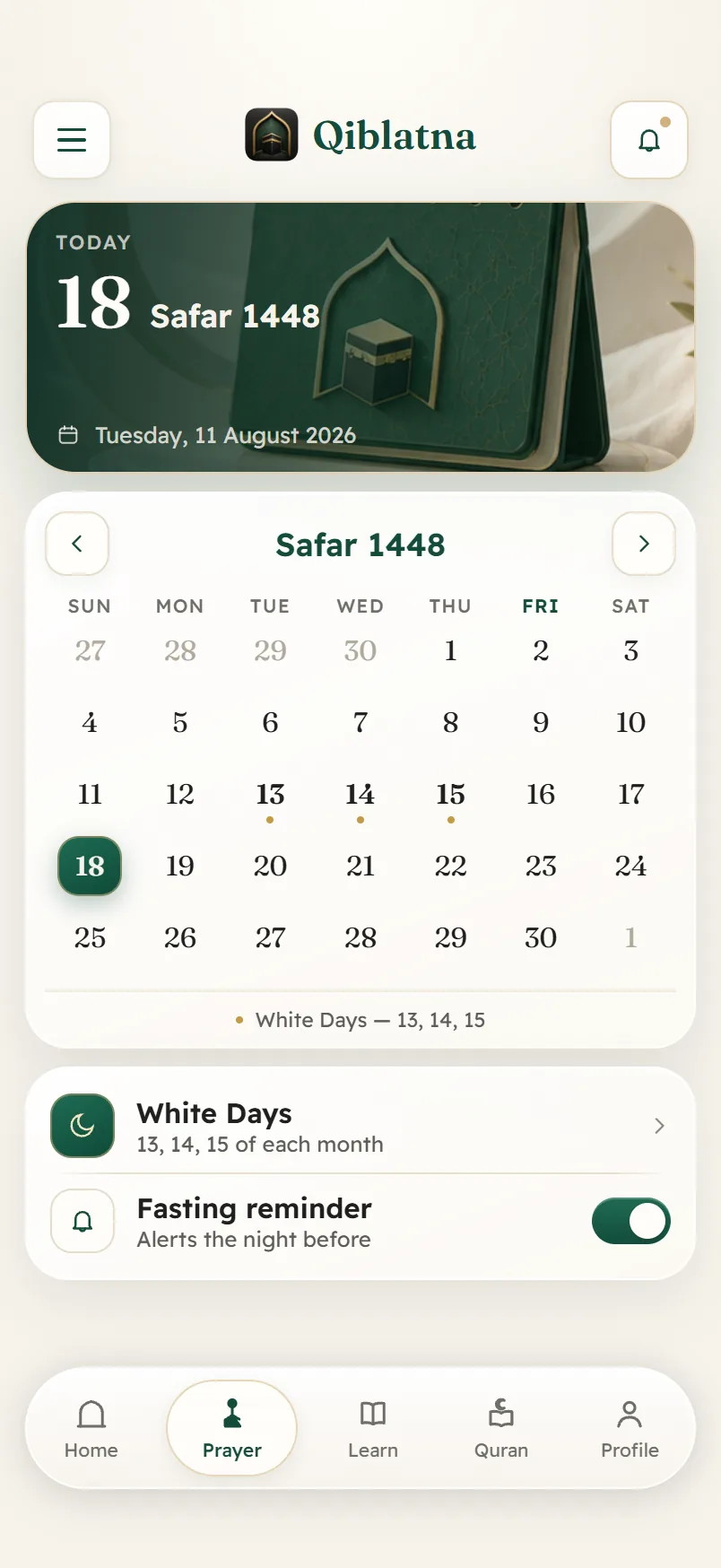
Today in both calendars, the month laid out, and the days worth fasting picked out for you.

  • The White Days — the 13th, 14th and 15th — marked every month
  • An optional reminder the night before a fast
  • Gregorian and Hijri side by side, so you can plan around both
The Hijri month, with the fasting days already marked — Qiblatna

And a few more

All of it ships in the same free app.

How it works

Three taps and it is set up

There is no sign-up step, because there is no account.

  1. Choose your language

    Arabic or English, picked on the first screen. The whole app follows, right-to-left or left-to-right.

  2. Set your location

    Allow location once, or choose your city from the list built into the app. Either way the coordinates stay on the phone.

  3. Pick your reminders

    Turn on the prayers you want to be told about, and how. You can change all of it later.

Questions

Questions people ask first

Is it really free?

Yes. No ads, no subscription, no paid tier, and nothing to buy inside the app. It is given as an ongoing charity rather than sold as a product.

Do I need an account?

No. There is no sign-up, no email address and no phone number, because there is no server holding anything about you. Your settings, bookmarks and counters live on your device.

Where do the prayer times come from?

They are calculated on your phone from your coordinates using the open-source adhan library. You choose the method — Umm al-Qura is the default, with ten others including Muslim World League, ISNA, the Egyptian General Authority, University of Karachi and Diyanet — and you choose the Asr position. The method shown on screen is read from the one in use, so it cannot drift from the numbers.

Why does the qibla need my location?

The qibla is a bearing from where you are to the Kaaba, so it cannot be worked out without knowing where you are. The calculation happens on the device, and Qiblatna never sends your coordinates to us — we have no server to send them to. If you would rather not share location at all, pick your city from the built-in list instead.

Is the Qur’an text verified?

It is the Tanzil Uthmani edition, bundled with the app. Nothing in the app writes Qur’an or hadith from memory, and du’a wording is checked against the published collections before it ships.

How do I delete my data?

Because nothing is stored on a server, deleting the app removes everything. If you want to clear it and keep the app, there is a reset inside Settings. The steps for both are on the Delete data page.